 ATV-STORE
Android TV Sideloading
Sideloading apps onto Android TV usually means developer options, ADB, and a computer. ATV Store removes all of it: enter a 6-digit PIN in the companion app and install APKs in one click, right from the remote.
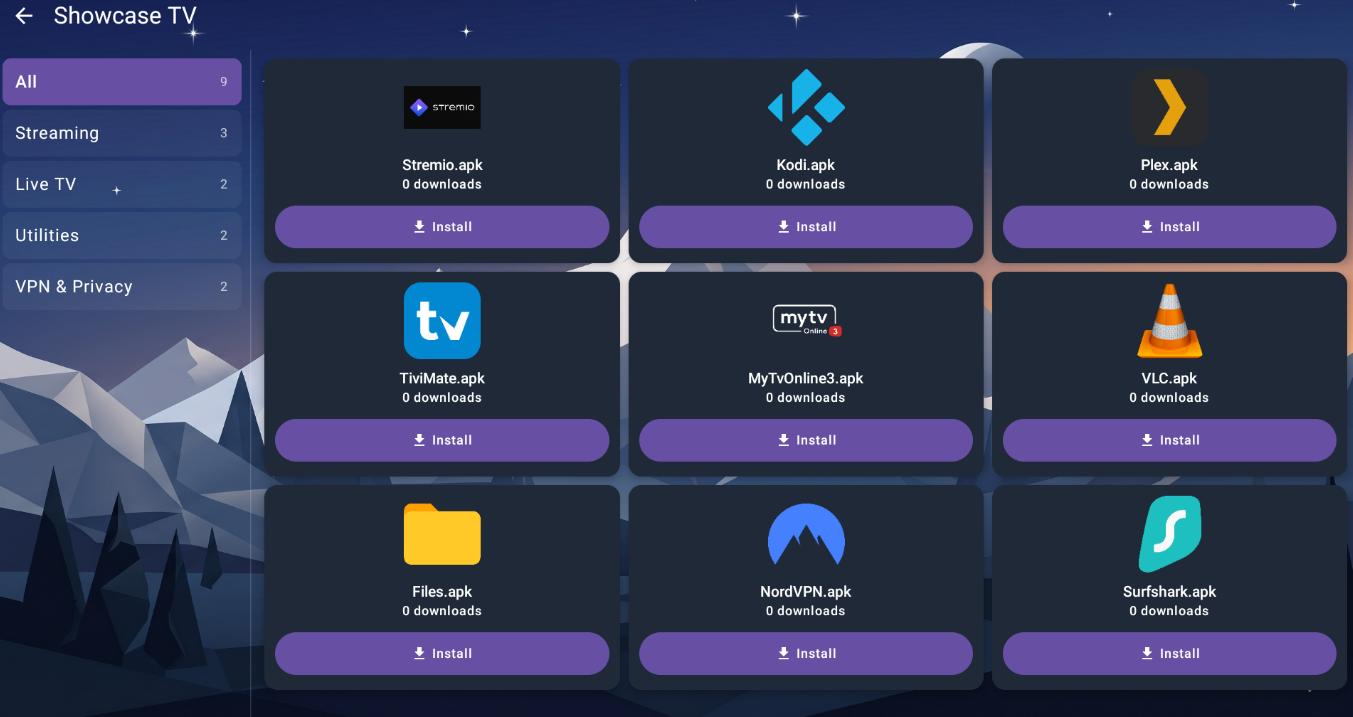
Sideloading without the friction
- No ADB, no USB, no PC. Everything happens on the TV with the remote.
- One-click install. Choose an app, press OK, and the APK installs.
- PIN-gated catalog. Only your apps appear — no hunting for download links.
- Always the right build. The catalog always serves the current version, with auto-updates.
- Repeatable. Set up a new device the same way every time: install app, enter PIN, install.
Sideload onto any Android TV device
- NVIDIA Shield
- Google TV
- Android TV boxes (7.0+)
- Fire TV Stick & Cube
- Android phones & tablets
On a Fire Stick? See Fire Stick sideloading →
How sideloading works with ATV Store
Install the companion app
Put the ATV Store app on your Android TV device — that's the only manual step.
Enter your PIN
Open the app, type your 6-digit PIN, and your private catalog appears.
Install in one click
Select an app and press the remote once. The APK installs directly — no ADB.
The old way vs. the ATV Store way
Sideloading on Android TV traditionally meant a developer setup. Here's what actually changes.
ADB & a computer
- Enable Developer options and USB/network debugging
- Install platform-tools on a PC
- Connect over ADB and run install commands
- Repeat the whole thing for every update
A PIN and the remote
- Install the companion app once
- Enter your 6-digit PIN
- Select an app and press OK to install
- Updates arrive automatically — nothing to repeat
Android TV Sideloading FAQ
How do I sideload apps on Android TV without a computer?
Install the ATV Store companion app on your Android TV device, enter your 6-digit PIN, and pick an app. It installs in one click — no ADB, no developer mode, no PC.
Do I need to enable ADB or developer options?
No. ATV Store installs apps through the companion app, so you skip the ADB and developer-options dance entirely.
Where do the APKs come from?
From the catalog tied to your PIN. We store each app's hosted URL (not the binary), and the device downloads it directly.
Is sideloading with ATV Store safe?
Your catalog is private to PIN holders and only serves apps you (or your provider) chose to publish — there's no public listing to browse or stumble into.
Related pages
Sideload on Android TV the easy way
Get a PIN and install your first app in one click — no computer needed.